【Mechanical Design】🧩 11. Defining Assemblies by Code — Using FreeCAD as a Placement Engine
topics: [“Mechanical Design”, “CAD”, “FreeCAD”, “Python”, “Assembly”, “Git”]
🏁 Introduction
In the previous articles, we covered:
- Generating part geometry by code
- Treating geometry as functions
- Managing design changes using Git diffs
This article focuses on a single fact:
Multiple parts can be assembled using Python code only, without any GUI-based operations in FreeCAD.
The scope is intentionally limited to a minimal, reproducible assembly example.
📦 Target Repository
-
Repository
https://github.com/Samizo-AITL/full-code-mechanical-design -
Assembly definition code
src/assembly/demo_assembly.py
🧱 Assumptions
- Each part can be generated independently under parts/
- Each part has a clearly defined origin and orientation
- No constraint solvers or Assembly Workbenches are used
Only explicit numerical placement is applied.
📐 Placement Is Defined Numerically
import FreeCAD as App

placement = App.Placement(
    App.Vector(x, y, z),
    App.Rotation(App.Vector(ax, ay, az), angle)
)
🧪 How to Execute
Windows
cd src
"C:\Program Files\FreeCAD 0.21\bin\FreeCADCmd.exe" build.py
Linux
cd src
freecadcmd build.py
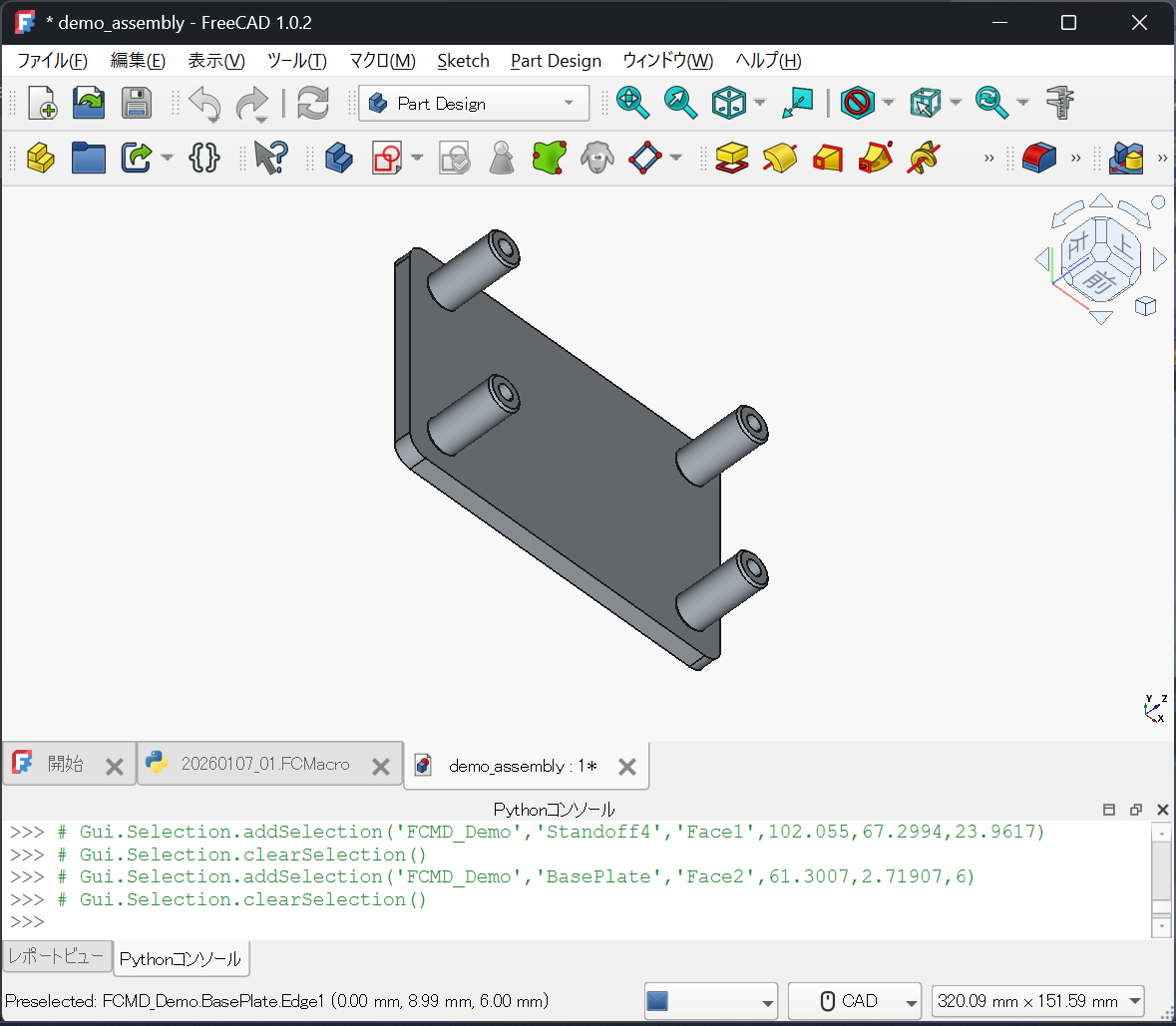
🖥 Generated Result
🎯 Summary
- Part generation lives in parts/
- Assembly placement lives in assembly/
- Execution is handled by build.py