【Mechanical Design】🛠️ 06. Zero GUI Operations in FreeCAD — Generating Geometric Solids Using Only Function Definitions
topics: [“mechanical design”, “cad”, “freecad”, “python”, “mathematics”]
🧭 Introduction
FreeCAD is widely known as a parametric CAD system.
However, what is far less known is that:
Using only Python code,
FreeCAD can generate surprisingly rich geometric shapes
—without using:
- Sketches
- Constraints
- Part Design
- Or almost any GUI operation
In this article, we introduce pure code-driven solid geometry created with:
- No sketches
- No Part Design
- Nearly zero GUI interaction
👀 First, Look at the Final Results
Function-defined Loft + Twisted Solid
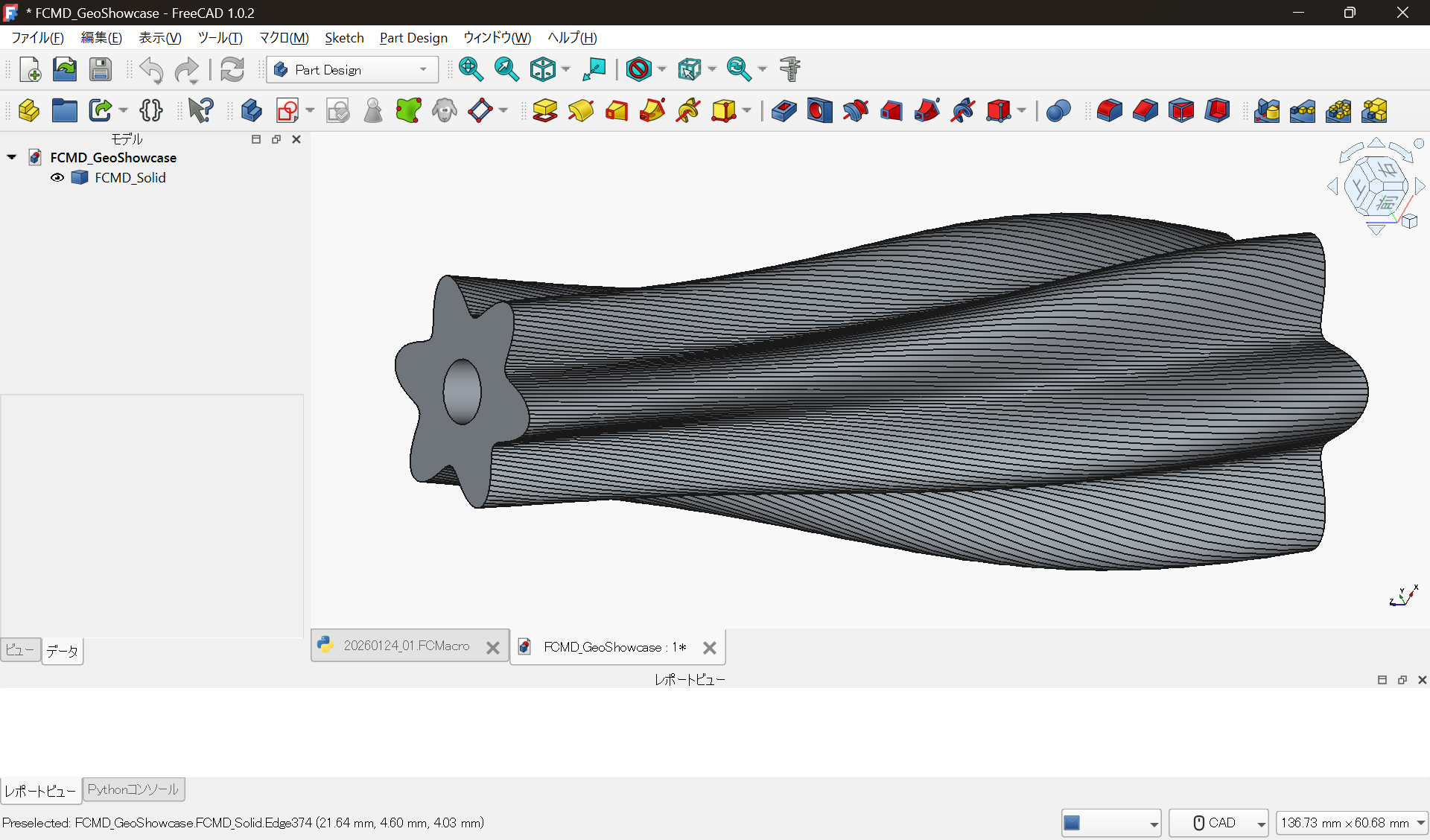
This solid is generated by:
- Defining the radius as a function r(z)
- Modulating the cross-section using periodic functions
- Stacking profiles along the z-axis via Loft
- Applying an additional Twist transformation
All of this is done entirely in Python code.
No sketches. No constraints.
🌀 Another Example: A Branched Spiral Solid
Next is a shape that is even more hostile to GUI-based modeling.
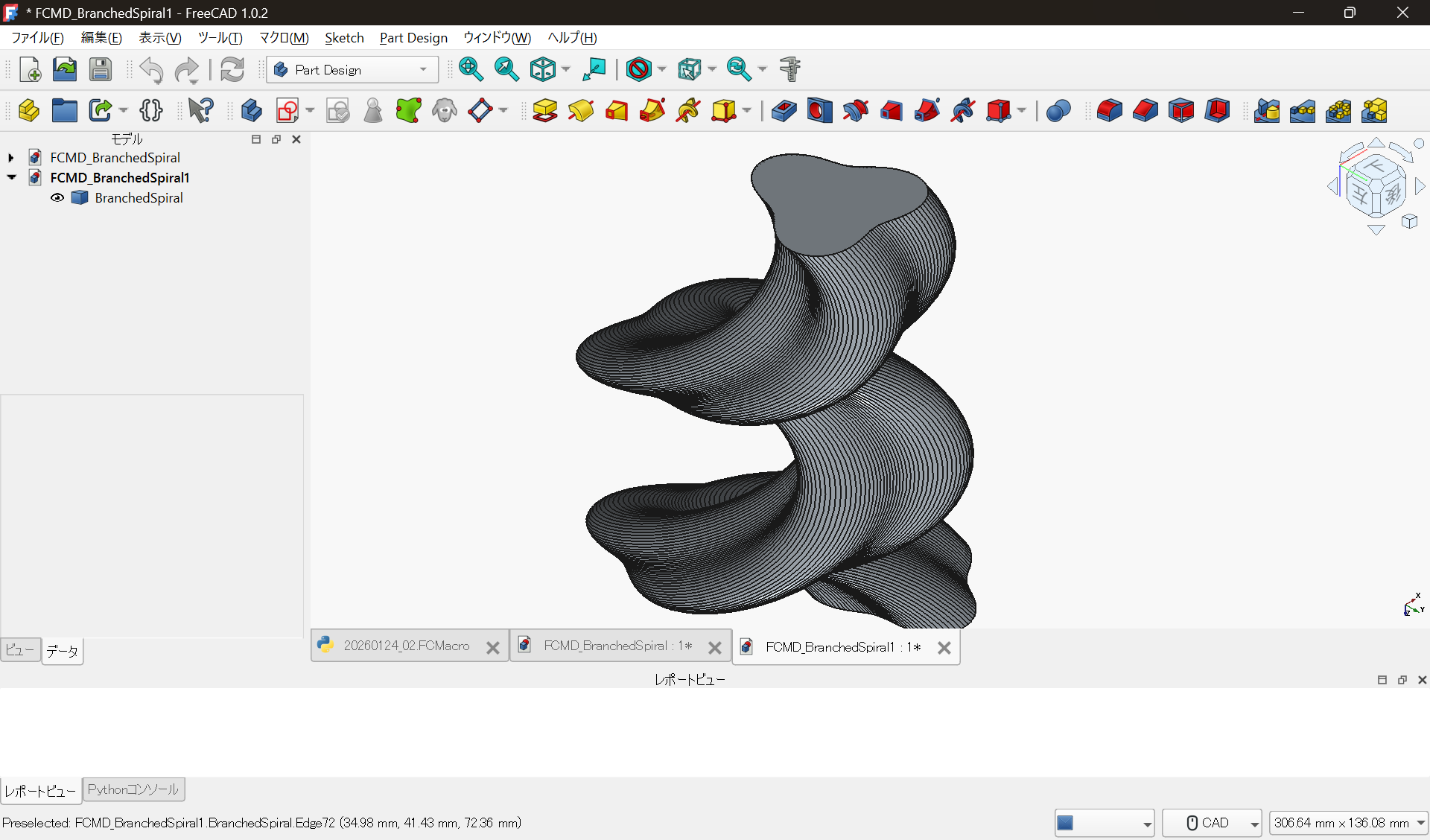
This model is constructed by:
- Generating spatial curves (spirals) in code
- Defining cross-sections via functions
- Introducing phase jumps to create branches
- Converting the result into a solid using Sweep / Loft-like logic
Because the geometric properties change mid-way,
this type of model is notoriously fragile in history-based GUI CAD.
🔍 What Is the Key Point?
The important point is not that the shapes look exotic.
Geometry as the Result of Rules
In these examples:
- Dimensions
- Wave amplitude
- Twist magnitude
- Branch locations
are all defined as variables and functions in Python.
In other words:
Geometry is not the result of manual operations
but the result of executing rules
⚔️ The Fundamental Difference from GUI CAD
Trying to create the same shapes in GUI CAD typically results in:
- Too many sketches
- Constraint breakage
- Loss of understanding of why the shape exists
In contrast, with code-based design:
def r(z):
    return base + amp * math.sin(freq * z)
The design intent itself is preserved as code.
Change a parameter → re-run → new geometry.
🧰 Practical Benefits in Real Work
This approach is not just for artistic modeling.
It is highly effective for:
- Special-purpose shafts
- Mixing or agitation geometries
- Cooling fins
- Experimental fixtures
- Parametric shape exploration
Because everything is code-based:
- Git diff tracking works naturally
- Reasons for design changes remain visible
- Derivative designs are easy to generate
🧾 Summary
FreeCAD can be used not only as:
- A tool for drawing sketches
but also as:
- A geometric engine that executes rules
There is no need to reject GUI workflows.
However, simply adding the option to:
Describe shape-generation rules in code
dramatically expands how CAD can be used.
💻 Source Code Used
The code used to generate the shapes in this article is available here:
-
Function-defined Loft + Twisted Solid
loft_twist_solid.py -
Branched Spiral Solid
branched_spiral_sweep.py
📜 License
The code used in this article is released under the MIT License.