08. 【GA4】 When Watching Overseas Traffic in Real Time, Line Up the Local Times Too
When you look at GA4’s Realtime view, you can immediately see:
- 🌍 Which countries visitors are coming from
- 📍 Where activity appears on the world map
But then, a question often follows:
What time is it over there right now?
You can see the traffic.
But you cannot see what part of their daily life that traffic belongs to.
This article introduces a small but useful idea:
placing the current local time of major cities next to GA4’s realtime view.
📍 GA4 Realtime: Global Distribution
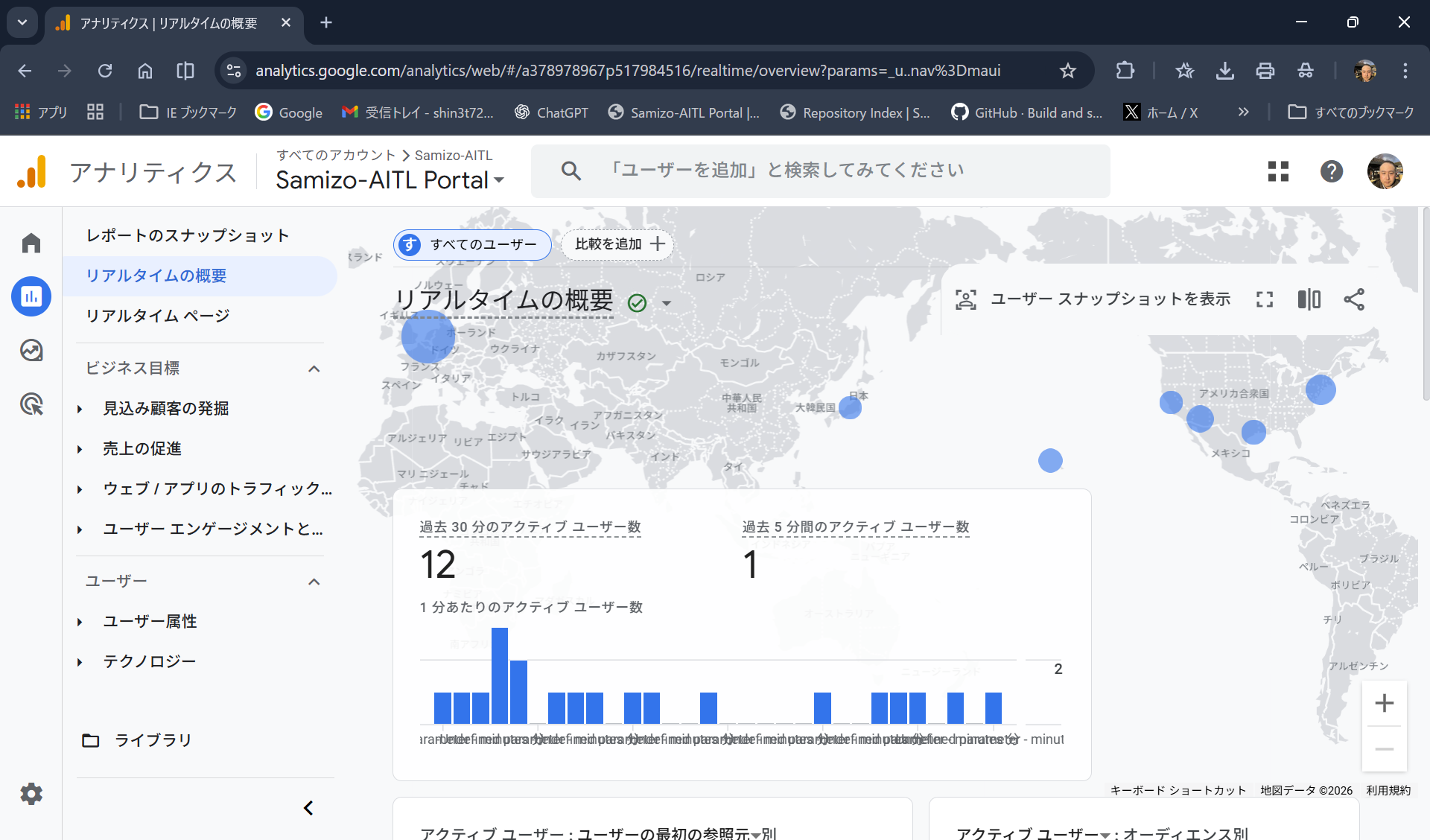
Looking at this map, you might notice:
- 🇺🇸 Activity in North America
- 🇪🇺 Some reactions in Europe
And naturally, the next thought is:
So… what time is it there right now?
Is it late at night?
Before work?
During office hours?
Knowing this daily-life context subtly changes
how the same access data feels.
🌐 World Clock: Current Time in Major Cities (Concept)
Imagine placing this next to GA4’s realtime screen,
showing the current moment in major cities.
| Region | City | Local Time |
|---|---|---|
| 🇯🇵 Japan | Tokyo | |
| 🇺🇸 USA (East) | New York | |
| 🇺🇸 USA (West) | Los Angeles | |
| 🇬🇧 UK | London | |
| 🇫🇷 France | Paris | |
| 🇨🇳 China | Beijing |
✅ Summary
- 📊 GA4 shows traffic
- ⏰ Local time shows daily life
That’s all.
But when viewed together, the world feels just a bit more three-dimensional.
🔧 Notes
- No external APIs required
- Uses only
Intl.DateTimeFormat - Demo uses plain HTML (no front matter dependencies)
A small trick to make it easier, while watching GA4,
to imagine who is looking at your site, and at what time of day.