03.【FCMD】 How to Combine GUI CAD and Code-Based Design
— Minimal Code-Based Design with FreeCAD
tags: Mechanical Design, CAD, FreeCAD, Python
Introduction
In the previous article, I introduced the idea of
going one step beyond GUI CAD and describing designs as code.
The next natural question is this:
“Okay, but how do you actually write that code?”
In this article, I present a practical entry workflow:
Generate design code with ChatGPT, paste it into FreeCAD, and execute it directly.
This approach allows you to start code-based design
immediately and realistically, without overengineering.
What We Will Do
- Generate design code with ChatGPT
- Paste it into FreeCAD as a macro
- Generate geometry without any GUI operations
- Use CAD only for verification and visualization
Generating Design Code (ChatGPT)
ChatGPT is not used to replace design decisions.
It is used as an assistant to translate design intent into code.
First, the design intent is described in natural language,
and ChatGPT is asked to generate the corresponding code.
Typical inputs include:
- Plate length, width, and thickness
- Thickness decision logic based on length
- Mounting hole placement rules
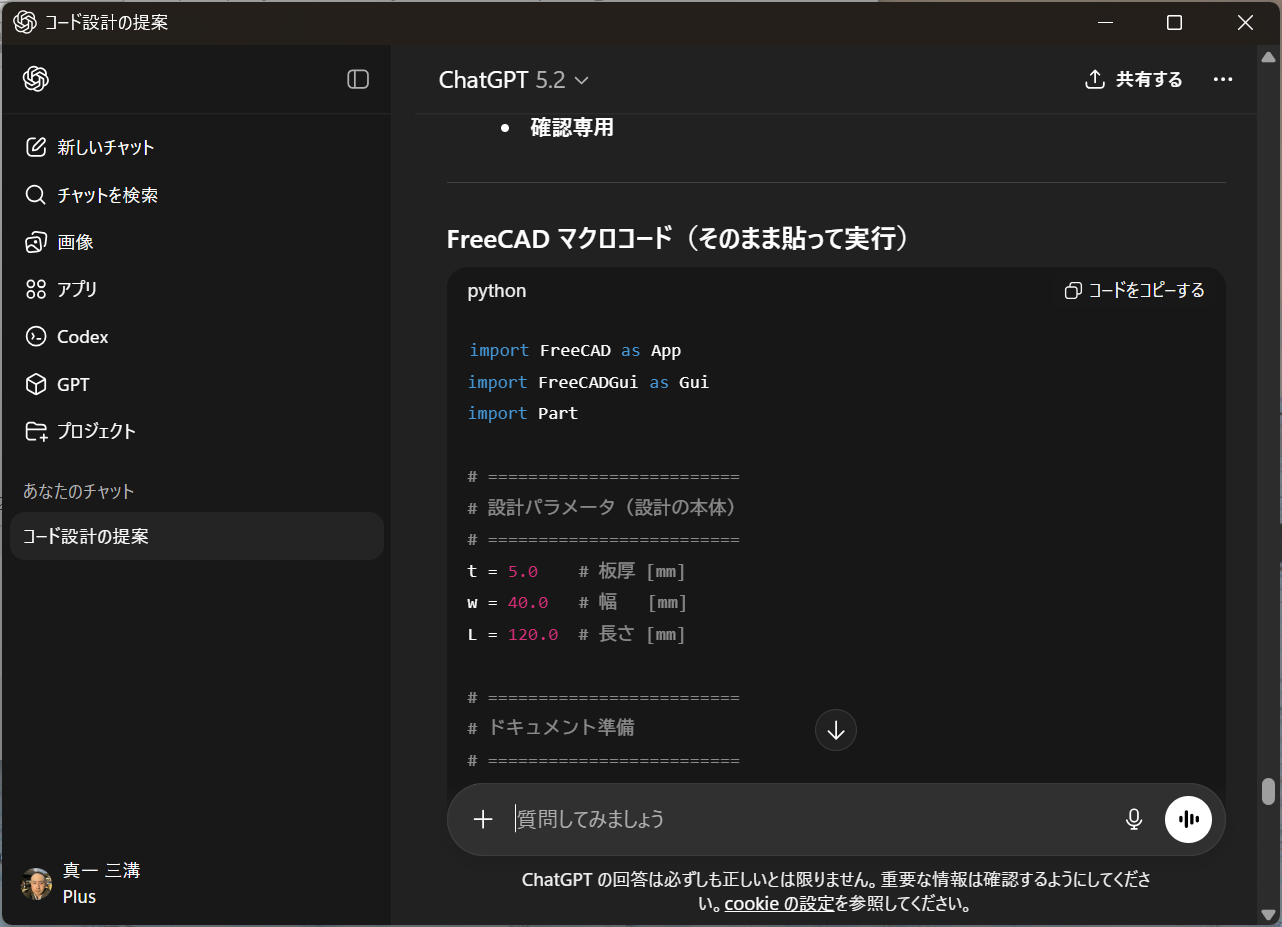
The important point here is:
Design intent is provided as text,
and output explicitly as executable code.
Pasting into a FreeCAD Macro
The generated code is pasted directly into
the FreeCAD Macro Editor.
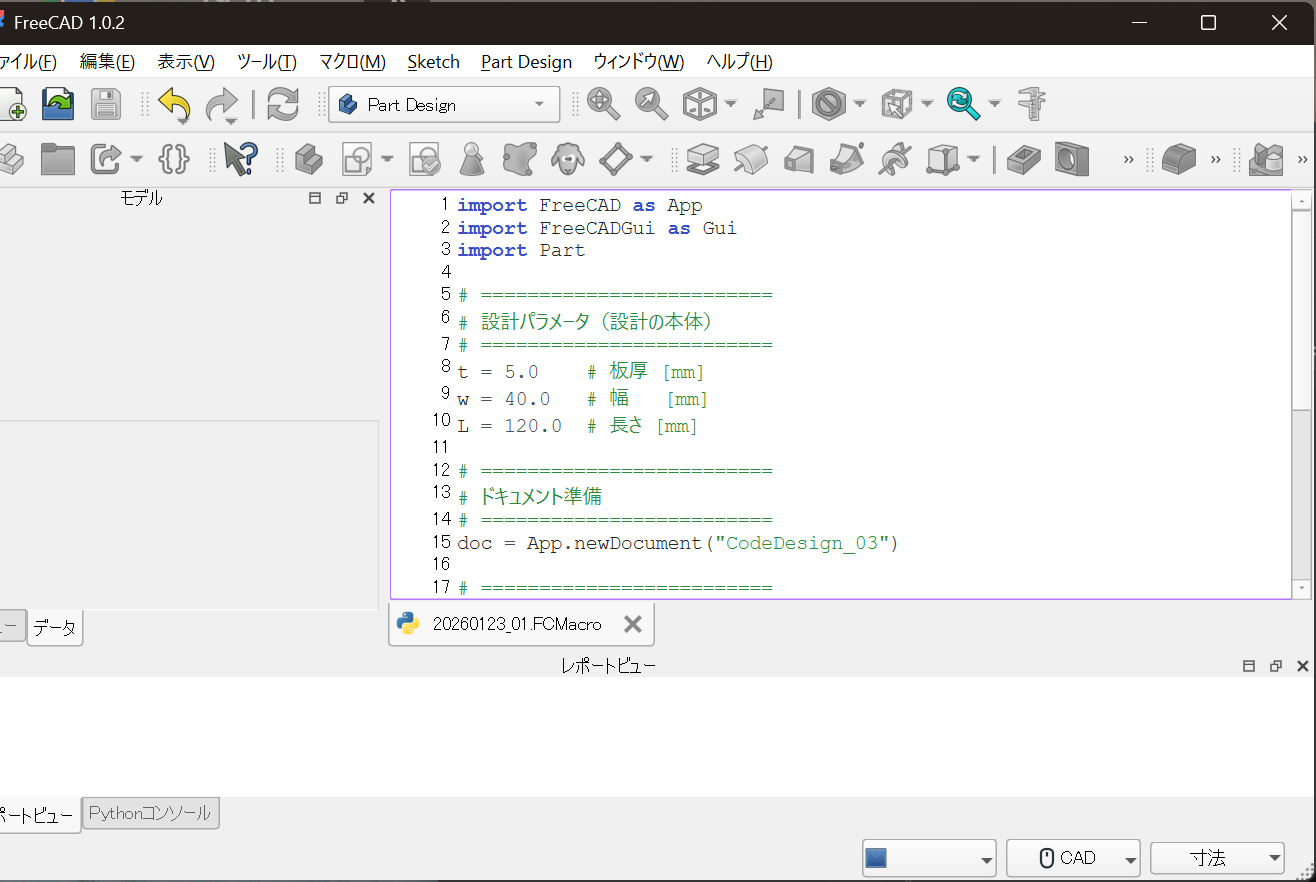
At this stage:
- No sketches are created
- No GUI modeling operations are performed
Everything starts from code.
FreeCAD Macro Code
Below is the actual macro used in this example.
import FreeCAD as App
import FreeCADGui as Gui
import Part

# =========================
# Design parameters (core design data)
# =========================
W = 40.0     # Width [mm]
L = 120.0    # Length [mm]

# ---- Design decision ----
if L > 100:
    T = 8.0
else:
    T = 5.0

# Mounting hole parameters
HOLE_D = 6.0
EDGE_OFFSET = 10.0

# =========================
# Document setup
# =========================
doc = App.newDocument("CodeDesign_03")

# =========================
# Base geometry
# =========================
base = Part.makeBox(L, W, T)

# =========================
# Hole placement rules
# =========================
holes = []

x_positions = [EDGE_OFFSET, L - EDGE_OFFSET]
y_positions = [W / 2]

for x in x_positions:
    for y in y_positions:
        hole = Part.makeCylinder(
            HOLE_D / 2,
            T + 1,
            App.Vector(x, y, -0.5)
        )
        holes.append(hole)

for h in holes:
    base = base.cut(h)

# =========================
# Register model
# =========================
part = doc.addObject("Part::Feature", "BasePlate")
part.Shape = base

# =========================
# View update
# =========================
doc.recompute()
Gui.activeDocument().activeView().viewAxonometric()
Gui.SendMsgToActiveView("ViewFit")
Execution Result (No GUI Operations)
When the macro is executed,
geometry is generated strictly according to the design rules.
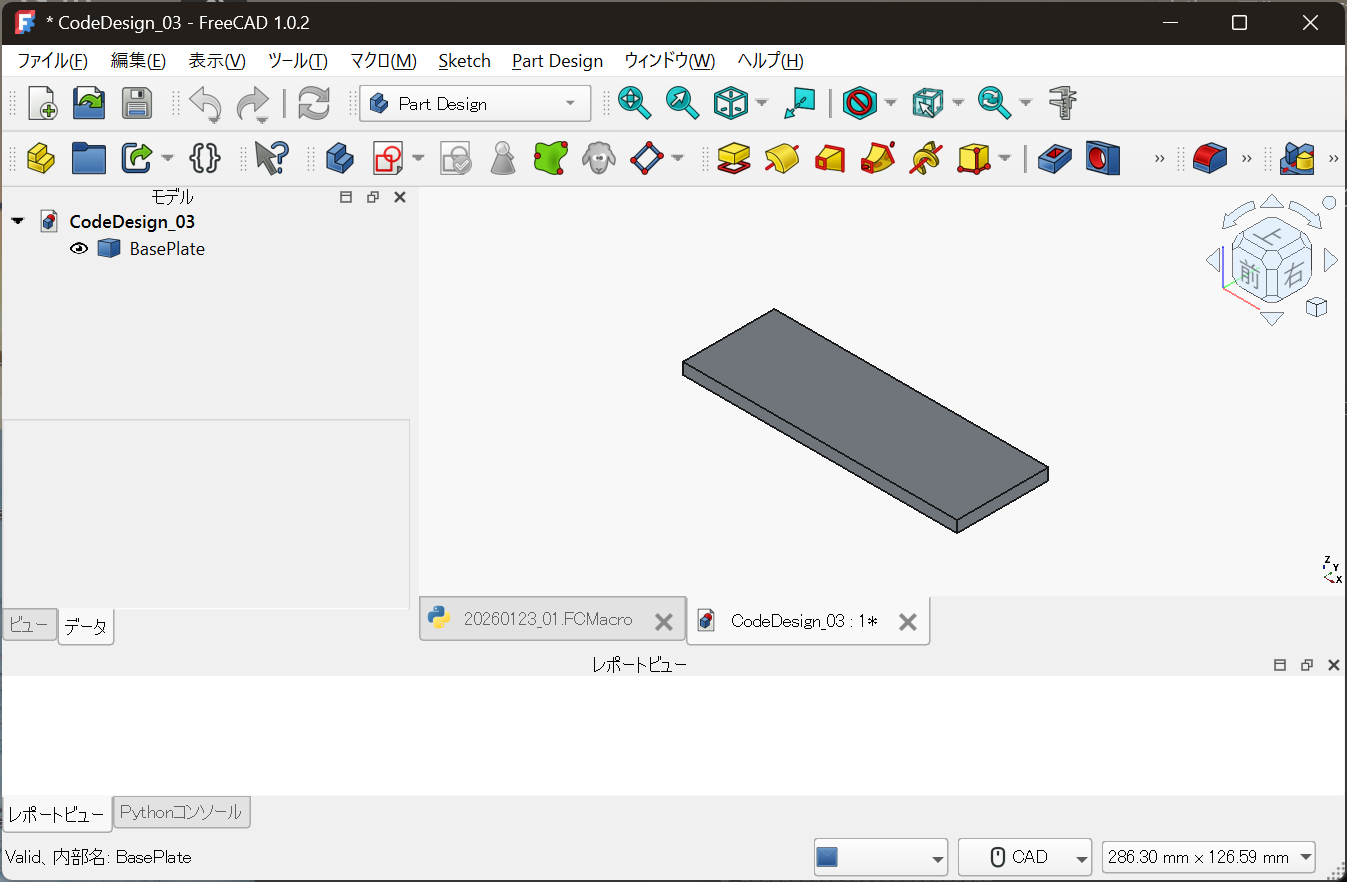
Key points:
- Re-execution = redesign
- Dimension change = derived design
- No operation history is required
What Makes This “Code-Based Design”
The important part is not the final shape.
if L > 100:
    T = 8.0
else:
    T = 5.0
This design decision itself
is explicitly preserved as code.
In GUI CAD, such reasoning is usually buried
inside manual operations and disappears over time.
The Role of GUI CAD Changes
- Code: design decisions, rules, reproducibility
- GUI CAD: visual inspection and confirmation
With this separation of roles,
design becomes a reusable technical asset,
not a one-off modeling task.
Conclusion
Generate design code with ChatGPT,
execute it directly in FreeCAD.
This workflow is:
The shortest and most realistic path
to starting code-based mechanical design.
In the next article, we will cover:
- How to connect Part Design (Body / Sketch)
- With code-based design workflows
Full Code Mechanical Design
is not a tool — it is a design philosophy.
Notes
The code in this article is provided as an illustrative example
to explain design methodology.
It is not intended for direct production use or redistribution.
Actual design code and licensing policies are managed here:
- Full Code Mechanical Design
https://samizo-aitl.github.io/full-code-mechanical-design/
Note: FreeCAD’s API may change in the future.
This article focuses on explaining the underlying concept.