004.【Python Basics】 Calculate and See the Result
🧮 You Can Calculate with Python
With Python, you can
write a formula and get the result just by pressing ▶.
In this article, using VS Code, we focus on the minimal workflow:
- Write ✍️
- Run ▶
- See the result 👀
✅ What You Can Do
- Calculate numbers with Python
- Assign meaning to variables
- See the result immediately after execution
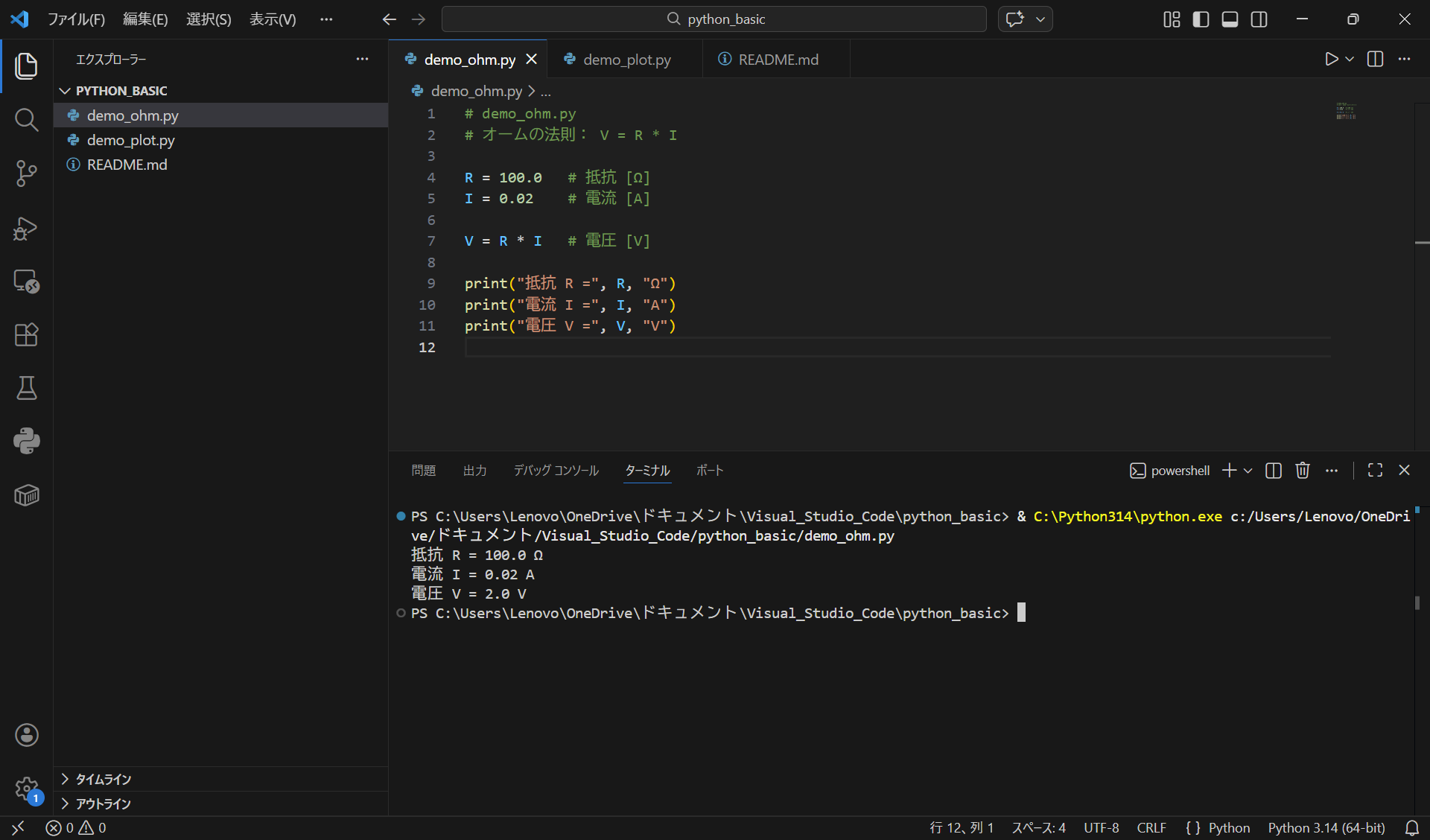
⚡ Demo: Ohm’s Law (V–I)
R = 100.0   # resistance [ohm]
I = 0.02    # current [A]

V = R * I   # voltage [V]

print("R =", R, "ohm")
print("I =", I, "A")
print("V =", V, "V")
▶ Running in VS Code
💡 Key Points
- Python can be used as a calculator
- Press ▶ (Run) to execute the code
- The result is displayed as-is
👉 You do not need to memorize syntax here.
📝 Summary
- Python = a tool to write formulas and calculate
- VS Code = a place to write and press ▶
That understanding is enough for now.